
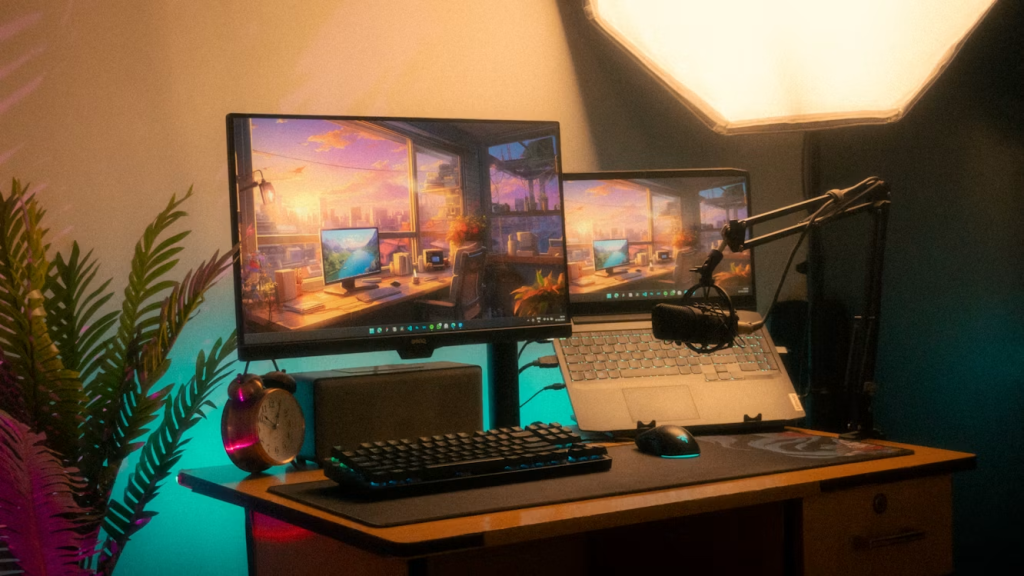
For creative professionals, a desk isn’t just furniture; it’s where ideas spark, projects get done, and innovation happens. A messy or uncomfortable workspace can drain your energy and block your flow, but a well-thought-out setup can really boost your best work. The goal isn’t a perfect look, but building a space that truly supports your creative process from start to finish.
This guide will show you practical ways to turn your desk into a powerful tool for getting things done and being creative. From basic ergonomics to picking the right tools, these tips will help you create a workspace that works as hard as you do.
Ergonomics for Creative Minds
Spending long hours editing video, designing layouts, or writing code can really take a toll on your body. Feeling uncomfortable is distracting, and constant pain kills creativity. Thinking about ergonomics isn’t just a nice extra; it’s a basic step for a creative career that lasts and stays productive. You want to set yourself up in a neutral posture where your body is lined up and supported. That way, you can focus on your work instead of an aching back or a strained neck.
Your chair is the first thing to get right. Look for one that you can adjust the height, armrests, and lower back support on. Your feet should be flat on the floor, with your knees bent at about a 90-degree angle. Armrests should support your forearms so your shoulders can relax.
Next, get your screen in line. If your monitor is too low or too high, you’ll crane your neck, which causes a lot of strain over time. The top of your screen should be at or just below eye level. A well-positioned monitor also lets you keep a good viewing distance, usually about an arm’s length away, which helps reduce eye strain. Getting this right is one of the biggest ergonomic improvements you can make.
Finally, think about your keyboard and mouse. Your wrists should stay straight and neutral, not bent up or down. If you find yourself bending your wrists uncomfortably, an ergonomic keyboard or a vertical mouse could really help. Proper ergonomic setup isn’t just about feeling good; it’s about preventing long-term repetitive strain injuries that can stop your career in its tracks.
Designing Your Ideal Creative Hub
Once your ergonomic setup is solid, you can focus on how your workspace is laid out and how it feels. A well-designed creative space should feel natural and make your work easier. Think of your desk as having different zones for different kinds of tasks. This helps you stay organized and mentally ready for the work you need to do.
- The Digital Zone: This is the main part of your setup, where your monitor, laptop, and main input devices live. Make sure everything is easy to reach without making a mess. If you use more than one monitor, arrange them so you don’t have to move your head much.
- The Analog Zone: Even though we live in a digital world, many creative people still use physical tools. Set aside a spot for your sketchbook, notebook, pens, or sticky notes. Keeping this area separate from your digital tools means your keyboard won’t get buried under a pile of papers.
- The Utility Zone: This area is for everything else: your phone charger, drink, headphones, and other small items. Putting it slightly away from your immediate workspace prevents accidental spills and reduces visual distractions.
Lighting really affects both your mood and how much you get done. If you can, position your desk to get natural light. But don’t put your monitor right in front of a window, as the glare can really strain your eyes. Add good task lighting to natural light. A dimmable LED desk lamp lets you adjust the brightness and color temperature to match the time of day and what you’re working on, which helps reduce eye fatigue during long sessions.
Essential Tools Beyond Software
What you create depends on more than just powerful software; the physical tools you use every day greatly affect how efficient and comfortable you are. Investing in good hardware and accessories can smooth out your process and get rid of those small but annoying problems that break your creative flow. Your computer is the engine, but these tools are the high-performance parts that make everything run well.
Good noise-canceling headphones are a must-have for anyone working in a shared or noisy place. Being able to block out distractions when you need to is key to getting into a deep focus. For audio and video pros, quality studio monitor headphones are also essential for accurate sound. Another important tool is a reliable, multi-port USB-C hub or docking station. As laptops get thinner and have fewer ports, a central hub that can connect your monitor, external drives, and other devices with just one cable makes your setup much simpler.
Don’t forget how powerful analog tools can be. A nice notebook and a pen you enjoy writing with can be more effective for brainstorming and initial ideas than any app. The physical act of writing or sketching can open up different creative paths in your brain.
Finally, think about specialized input devices made for your craft. For digital artists and photo editors, a drawing tablet offers a level of precision a mouse can’t match. For programmers and writers, a mechanical keyboard can make typing more satisfying and accurate, reducing mistakes and fatigue.
Minimize Clutter, Maximize Focus
A messy desk usually means a messy mind. When your workspace is covered in old coffee mugs, tangled cables, and piles of paper, your brain has to work harder to ignore all the irrelevant stuff. This constant, low-level distraction uses up your mental energy and makes it harder to focus and stay focused. A clean, organized desk tells your brain clearly: it’s time to work.
Managing your cables is one of the quickest ways to reduce visual clutter. A jumble of wires under and on your desk looks chaotic and makes cleaning tough. Use simple tools to tidy up the mess:
- Cable Trays: Attach one to the underside of your desk to hold power strips and extra cables, getting them completely off the floor.
- Velcro Ties or Sleeves: Group cables running from your computer to your monitor and other devices into one neat bundle.
- Adhesive Clips: Guide charging cables along the edge of your desk to keep them handy but out of the way.
Beyond cables, be smart about what actually stays on your desk. Use vertical space well with monitor stands that have built-in storage or small shelves for things you use often. Try a “one-in, one-out” rule for new gadgets or supplies to stop things from piling up. Most importantly, get into the habit of tidying up at the end of each day.
A quick five-minute reset, wiping down the surface, putting away papers, and organizing pens, means you start the next morning with a clean slate, ready for creative work. A tidy space can really help your mental clarity and ability to concentrate.
Future-Proofing Your Workspace
Your creative needs will change over time. You might take on projects that need new hardware, learn new skills, or just find that your current setup no longer works for you. Designing your workspace to be adaptable means you won’t have to start from scratch every few years. Future-proofing isn’t so much about predicting the future as it is about choosing flexible and durable parts.
Being able to change things easily is key. Instead of buying a single, all-in-one desk unit, go for a simple, sturdy desk surface and add modular pieces as you need them. Monitor arms, keyboard trays, and freestanding shelves can all be added, moved, or removed as your workflow shifts. This way, you can, for example, easily add a second monitor for a complex video project or rearrange your setup to fit a new drawing tablet.
Invest in good quality items that will last. A cheap chair might save money now, but it will probably need replacing in a year or two and could cause physical discomfort. A high-quality ergonomic chair or a solid wood or steel desk is a long-term investment in your health and productivity.
When buying electronics, think about how they connect. A monitor with several input types (HDMI, DisplayPort, USB-C) will still be useful even as your computer hardware changes. By choosing versatile and durable tools, you create a workspace that can grow with you, supporting your creative journey for years to come.
Your desk setup is a changing and personal part of your creative self. By focusing on ergonomics, smart design, and quality tools, you can build a space that not only looks good but actively helps you focus, create, and do your best work. Start with one small change and build from there.