
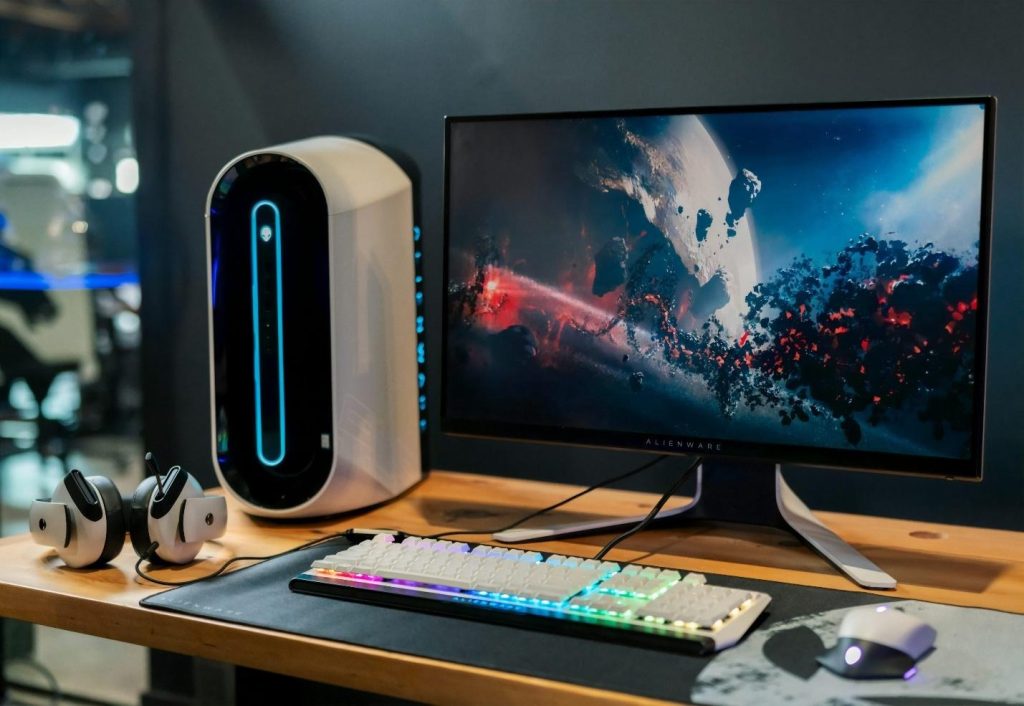
Building a high-performance PC does not have to drain your savings. Many people assume that strong gaming performance, smooth multitasking, and fast application loading require the most expensive hardware available. Real-world results often tell a different story. Careful planning and smart purchasing decisions can deliver excellent performance without pushing your budget to the limit.
Several approaches can help reduce costs while maintaining performance. Some builders focus their spending on the components that have the biggest impact on speed. Others take advantage of discounts on previous-generation hardware that still performs exceptionally well. The secondhand market also creates opportunities to secure quality components at lower prices.
Define Your Performance Goals Before Buying Parts
Every successful PC build starts with a clear goal. Spending money becomes much easier when you know exactly what the system needs to accomplish. A gaming-focused PC requires different priorities than a workstation designed for video editing or graphic design.
Start by identifying your primary workload. Competitive gamers often benefit from stronger graphics performance and higher frame rates. Content creators may place greater importance on processor performance and memory capacity. General users usually need a balanced setup that handles everyday tasks efficiently.
Look for Reliable Used Components
The used hardware market has become a valuable resource for budget-conscious PC builders. Many components continue delivering reliable performance for years, making them attractive alternatives to brand-new parts. Graphics cards, memory kits, computer cases, and storage drives are often available at much lower prices, creating opportunities to stretch your budget further.
Memory is one area where used hardware can offer excellent value. New RAM prices can fluctuate, especially during periods of high demand. You can buy used RAM after confirming compatibility, testing stability, checking physical condition, and verifying the seller’s reputation. Reliable marketplaces and local communities often provide ratings and buyer feedback that make purchasing decisions easier and safer. Patience often leads to the best deals.
Choose a Processor That Delivers Strong Value
The processor serves as the foundation of any PC build. Selecting the right model can have a major impact on overall system performance and long-term value. Current flagship processors attract plenty of attention, yet they rarely represent the best value for budget-focused builders. Mid-range options frequently deliver excellent real-world performance at a fraction of the cost.
Previous-generation processors can be especially appealing because prices often drop after newer models enter the market. Performance-per-dollar should remain the primary consideration.
Pick a Graphics Card That Matches Your Needs
For gaming-focused builds, the graphics card often has the greatest impact on overall performance. Selecting the right GPU requires balancing cost, resolution targets, and performance expectations.
Marketing materials can make every graphics card seem essential. Actual gaming benchmarks provide a much clearer picture of what each model can deliver. Frame rate comparisons across different games offer valuable insight into real-world performance. Resolution plays a significant role in the decision-making process. A card designed for 1080p gaming may struggle with demanding 4K titles. Spending extra on a high-end GPU makes little sense if your monitor and gaming habits do not require that level of performance.
Select a Motherboard With Essential Features
A motherboard connects every component in the system, yet it is often one of the easiest areas to overspend. Many premium models include features that most users never fully utilize. Compatibility should be the first consideration. The motherboard must support your chosen processor, memory, and storage configuration. Expansion options should also align with your plans.
Reliable power delivery, sufficient connectivity, and solid build quality matter far more than flashy aesthetics. Features such as multiple PCIe slots, advanced overclocking tools, or extensive RGB controls may sound appealing, but they are not necessary for many budget-focused builds.
Invest in Fast Storage Without Overspending
Storage has a direct impact on how responsive a PC feels during everyday use. System boot times, application launches, and file transfers all benefit from faster storage solutions. A solid-state drive should be considered a priority in any modern build, even when working with a limited budget.
Several storage options are available, and the right choice depends on your needs. SATA SSDs remain affordable and provide a significant improvement over traditional hard drives. NVMe SSDs offer higher speeds and are becoming increasingly accessible as prices continue to fall. Capacity deserves as much attention as speed. A small drive may save money initially, but constant storage management can become frustrating. Many budget builders find that a mid-sized SSD offers the best balance between cost and usability.
Use a Quality Power Supply and Proper Cooling
A reliable power supply is one of the most important components in any PC. Every part of the system depends on stable power delivery, which makes quality far more important than chasing the lowest price.
Many first-time builders focus heavily on processors and graphics cards while overlooking the power supply. That decision can create problems later. Poor-quality units may affect system stability and can shorten the lifespan of other components. Selecting an appropriate wattage is equally important. A unit that comfortably supports your hardware provides greater reliability and leaves room for future upgrades. Efficiency ratings can also help reduce power consumption over time.
Plan Future Upgrades Into the Build
A budget PC should not be viewed as a finished product that can never improve. Smart builders often create systems that can grow over time as needs change and additional funds become available.
Upgrade planning starts with the foundation of the build. Components such as the motherboard, power supply, and case influence how easily future improvements can be made. Choosing reliable options in these areas can save money in the long run. Memory and storage are common upgrade paths. Additional RAM can improve multitasking performance, while extra storage creates room for larger game libraries and project files. Graphics card upgrades also become much easier when the power supply already has sufficient capacity.
Building a high-performance PC on a budget is largely a matter of making informed decisions. Expensive hardware is not the only path to strong performance. Clear goals, careful component selection, and a willingness to explore value-oriented options can produce impressive results without excessive spending.
Every part of the build should serve a purpose. Reliable used components, value-focused processors, appropriately matched graphics cards, and practical motherboard choices all contribute to a balanced system. Fast storage, dependable power delivery, and effective cooling further enhance the overall experience.